





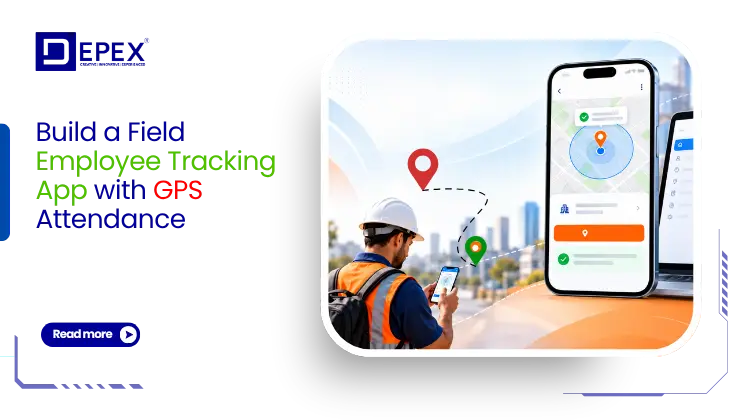
How to Build a Field Employee Tracking App with GPS Attendance
Managing employees who work outside the office can be challenging. Sales representatives visit clients, technicians travel between service locations, and delivery teams complete tasks across different areas. Without the right tools, businesses struggle to record attendance, verify field visits, monitor work progress, and manage daily operations.
This is where field service management app development becomes valuable. A custom field employee tracking app with GPS attendance helps businesses manage remote teams, verify work locations, assign tasks, and track employee activities through one digital platform.
Unlike traditional attendance systems, a GPS-based application allows employees to check in from approved job locations using their smartphones. Managers can review attendance records, monitor assigned work, and access useful reports without relying on phone calls or manual spreadsheets.
However, building a reliable application requires more than adding a GPS feature. Businesses must consider geofencing, location accuracy, offline attendance, employee privacy, secure data storage, and integration with existing business software.
In this detailed guide, we explain how to build a field employee tracking app with GPS attendance, the essential features, technology stack, development process, estimated costs, and best practices for creating a secure and scalable solution.
What Is a Field Employee Tracking App with GPS Attendance?
A field employee tracking app is a mobile application that helps businesses manage employees working outside a fixed office location. It combines attendance recording, location verification, task management, employee reporting, and workforce monitoring.
GPS attendance uses the location services available on a smartphone to verify where an employee is when recording attendance.
For example, a company may assign a maintenance technician to visit three customer locations during a working day. The technician can use the application to check in at each location, update the service status, upload job photographs, and submit a completion report.
Meanwhile, the supervisor can access these records through a central dashboard.
A complete field employee management solution generally includes three main components:
- Employee mobile app: Allows staff to mark attendance, view tasks, record visits, and submit work updates.
- Manager dashboard: Helps supervisors monitor attendance, assign jobs, review field activities, and approve requests.
- Admin management panel: Allows authorized administrators to manage employees, permissions, company policies, payroll integrations, and business reports.
These components work together to create a connected field workforce management system.
Why Do Businesses Need Field Service Management App Development?
Businesses with mobile workforces often face problems that traditional office software cannot solve.
Manual attendance registers provide limited information about where field employees work. Messaging applications make it difficult to organize daily reports. Additionally, managers may spend several hours collecting updates from different employees.
Custom field service management app development addresses these challenges by connecting employees, supervisors, and administrators through a single application.
1. More Reliable Attendance Records
GPS attendance allows employees to record their working hours along with a location reading.
This helps managers verify whether attendance was submitted from an approved work area. The system can also identify late arrivals, missed check-ins, and incomplete attendance records.
As a result, businesses can reduce manual data entry and make attendance reviews more consistent.
2. Better Visibility into Field Operations
Managers need to understand which employees are working, which tasks are pending, and which customer visits have been completed.
A field workforce management app provides this information through dashboards and task updates.
Where continuous location tracking is necessary and permitted, the app can also show location updates during active working hours.
This visibility supports better planning without requiring constant communication.
3. Improved Employee Productivity
Field workers often waste time switching between different applications for attendance, customer details, work updates, and reporting.
A unified application reduces these steps.
For example, an employee can open the assigned job, navigate to the customer location, record arrival, complete the work, and submit a report without leaving the app.
This creates a simpler daily workflow.
4. Reduced Administrative Work
Manual attendance processing requires staff to check records, identify missing entries, calculate work hours, and prepare reports.
An automated GPS attendance system can perform many of these tasks.
Managers can export records, review attendance exceptions, and send approved data to payroll software.
5. Better Customer Service
Location-aware field operations also help businesses respond to customers.
Supervisors can identify suitable available technicians, monitor service completion, and update customers about scheduled visits.
Faster coordination can improve response times and service quality.
How Does GPS Attendance Work in a Field Employee Tracking App?
GPS attendance uses smartphone location services to associate an employee’s attendance event with a geographic location.
Every Check-In.
Location Verified.
Transform field workforce attendance with intelligent GPS verification. Employees record attendance from assigned work locations while managers access secure, centralized records through a connected management platform.
The application generally follows a simple process.
Step 1: Employee Login
The employee signs in using a registered mobile number, email address, password, OTP, or company-approved authentication method.
The system verifies the employee account and loads assigned work details.
Step 2: Location Permission
The application requests permission to access the device location when required for attendance.
A well-designed application explains why the information is needed and how it will be used.
For check-in and check-out features, foreground location access may be sufficient.
Step 3: Location Detection
When the employee selects Check In, the application requests a current location reading.
The reading may include latitude, longitude, accuracy, and timestamp information.
The application then sends the required details to the backend for validation.
Step 4: Geofence Validation
If the company uses location-based attendance restrictions, the application compares the employee’s location with the assigned work area.
For example, the company may configure an attendance zone around a customer office.
If the location meets the configured policy, the attendance request can proceed.
If the reading is outside the allowed area or is not accurate enough, the application can request another reading or offer an exception workflow.
Step 5: Attendance Recording
After validation, the backend saves the attendance event.
The record may contain:
- Employee ID
- Attendance date and time
- Check-in or check-out status
- Location coordinates
- GPS accuracy
- Assigned job or site
- Validation status
- Device and audit information
The server should validate the event and maintain an authoritative record rather than relying only on the employee’s device clock.
Step 6: Manager Verification
Supervisors can review attendance through a web dashboard.
Depending on company policy, the system can display daily attendance, late check-ins, missing records, pending approvals, and relevant location details.
This approach makes GPS attendance both practical and auditable.
Essential Features of a Field Employee Tracking App
Successful field service management app development starts with selecting features that solve everyday business problems.
The following features are especially important.
1. GPS-Based Employee Check-In and Check-Out
GPS attendance is the foundation of the application.
Employees should be able to record the beginning and end of their working day using simple buttons.
The application should display the recorded time, location status, and attendance confirmation.
It should also handle failed submissions, duplicate requests, and temporary network problems.
For businesses with multiple shifts, attendance rules should support different working schedules.
2. Geofencing Attendance Management
Geofencing creates a virtual boundary around a specific location.
For example, a construction company may set a permitted attendance area around an active project site. Employees can then submit check-ins according to the location rules assigned to that project.
Administrators should be able to configure different geofences for branches, customer sites, warehouses, and field projects.
However, GPS readings are not always precise. Buildings, weather conditions, device settings, and other factors may affect accuracy.
Therefore, geofencing rules should use accuracy checks and allow reviewed exceptions instead of automatically treating every rejected location as employee misconduct.
3. Real-Time Employee Location Tracking
Some businesses need location updates while employees complete active field assignments.
For example, a maintenance company may need to locate the nearest available technician for an urgent repair.
A live tracking feature can provide this information through an authorized manager dashboard.
However, continuous tracking should only be used when it is necessary, lawful, and clearly explained to employees.
The application should stop collecting unnecessary location updates when the relevant work activity ends.
4. Employee Task Assignment and Management
Attendance alone does not provide a complete picture of field operations.
A task management module allows supervisors to create jobs, assign employees, set deadlines, and monitor progress.
Each task may contain:
- Customer name and service address
- Job description and priority
- Assigned employee or team
- Scheduled visit time
- Required checklist
- Task status and completion evidence
Employees can update task progress directly from their phones.
This reduces communication delays and helps supervisors identify unfinished work.
5. Customer Visit Tracking
Sales teams, inspection officers, and service technicians regularly visit multiple locations.
A customer visit tracking feature allows employees to record each visit separately.
The application can capture arrival time, departure time, customer details, visit purpose, and relevant work notes.
Managers can compare planned visits with completed visits.
This helps businesses understand field activity without depending entirely on manual reports.
6. Offline Attendance and Data Synchronization
Internet connectivity is not always available at construction sites, rural locations, or remote service areas.
An offline attendance feature allows an employee to record a check-in request locally when connectivity is unavailable.
The application stores the event securely and sends it to the server when the connection returns.
The system should clearly identify offline submissions and validate them according to company policy.
It should also prevent duplicate records during synchronization.
Offline capability is especially important for businesses operating across large geographic areas.
7. Selfie Attendance and Identity Verification
Some organizations require additional identity verification alongside GPS attendance.
A selfie attendance feature can capture an employee photograph at check-in.
However, a photograph should not automatically be treated as proof of identity or physical presence.
If facial recognition or biometric comparison is required, businesses must assess the legal requirements, employee rights, security risks, and suitable alternatives.
For many organizations, GPS attendance combined with secure login and manager review may provide a more proportionate solution.
8. Leave, Shift, and Overtime Management
A useful employee management application should connect attendance with working schedules.
Employees can view assigned shifts, submit leave requests, and report missing attendance entries.
Supervisors can approve requests and manage exceptions.
The system can calculate working hours and proposed overtime according to configured company rules.
Any payroll-sensitive calculations should remain subject to approved policies and review.
9. Automated Reports and Analytics
Field managers need clear information to make decisions.
A reporting dashboard can display attendance trends, completed tasks, employee workloads, service delays, and location-based visit records.
Reports may be filtered by employee, team, location, project, or date.
The system can also export approved data in Excel, CSV, or PDF formats.
Rather than collecting unnecessary information, the application should focus on reports that support genuine business decisions.
Key Modules Required for a Complete Field Service Management Application
A complete field workforce platform should separate features according to user responsibilities.
Employee Mobile Application
The employee application should provide a clean and simple interface.
Its main sections may include Home, Attendance, My Tasks, Visits, Notifications, and Profile.
Employees should be able to access their daily schedule, record attendance, update assigned jobs, and review previous submissions.
The interface should remain easy to use even on affordable smartphones and slower mobile networks.
Supervisor and Manager Dashboard
Supervisors need an overview of assigned employees and daily operations.
The dashboard should help them review attendance, monitor task progress, identify delayed visits, approve exceptions, and manage employee schedules.
Role-based controls should ensure that supervisors only access information relevant to their teams.
Admin and HR Management Panel
Administrators manage the overall system.
They can create employee accounts, define departments, assign roles, configure attendance policies, and manage approved locations.
HR teams may need access to attendance summaries, leave requests, working-hour reports, and payroll exports.
Finance teams may require approved reimbursement and expense data.
Each department should receive only the permissions required for its responsibilities.
How to Build a Field Employee Tracking App: Step-by-Step Development Process
Building a GPS attendance application requires careful planning, reliable engineering, and real-world testing.
The following process provides a practical roadmap.
Step 1: Define Your Business Requirements
Start by identifying the problems the application must solve.
For example, a logistics company may prioritize driver locations and delivery updates. A sales organization may need customer visit reports. A construction business may require project-based attendance and shift management.
Document the number of employees, supported devices, work locations, attendance rules, reporting needs, and existing business systems.
This initial planning helps prevent unnecessary development expenses.
Step 2: Identify User Roles and Permissions
Define who will use the application and what each user can access.
Typical roles include employees, supervisors, HR managers, administrators, and business owners.
Create a permission matrix before development.
For example, an employee should view personal attendance records, while an HR manager may review attendance across assigned departments.
Role-based access control should be enforced through backend authorization, not simply by hiding interface elements.
Step 3: Design the User Interface and Experience
A field employee tracking app must be simple enough for everyday use.
Employees should not need several screens to record attendance.
The mobile homepage can display the current attendance status, Check In button, assigned tasks, and daily schedule.
Managers need clear dashboards with useful filters and alerts.
During UI and UX design, prioritize readable text, simple navigation, quick actions, and understandable error messages.
Step 4: Select the Right Technology Stack
Technology selection depends on the required features, development budget, device requirements, and future growth plans.
A suitable technology stack may include:
| Application Layer | Technology Options |
|---|---|
| Mobile application | Flutter, React Native, Kotlin, Swift |
| Web dashboard | React, Next.js |
| Backend | Node.js, Laravel, Python |
| Database | PostgreSQL, MySQL |
| Maps and location | Google Maps Platform, native location APIs |
| Notifications | Firebase Cloud Messaging, Apple Push Notification service |
| Authentication | OAuth 2.0, OTP, secure session management |
| Cloud hosting | AWS, Microsoft Azure, Google Cloud |
Flutter or React Native can help businesses build applications for Android and iOS using shared development resources.
However, native platform integrations may still be required for location permissions, background behavior, and device-specific features.
The final selection should follow the application’s requirements.
Step 5: Develop GPS Attendance and Geofencing Logic
The attendance engine should validate every check-in request.
It should confirm the employee account, relevant shift, assigned location, timestamp, and GPS accuracy.
If the company uses geofencing, the backend should calculate whether the location meets the configured rule.
The application should also provide clear responses when a submission fails.
For example, an employee outside the allowed area might receive an explanation and an option to request supervisor approval.
This is more useful than showing a generic error.
Step 6: Build the Backend and Database
The backend connects mobile applications, dashboards, attendance rules, and business integrations.
A structured database can include employee profiles, job assignments, attendance events, approved locations, shifts, and audit logs.
For example, each attendance event should have a unique identifier.
This helps the backend identify repeated requests and avoid creating duplicate entries.
The database should also maintain an audit trail for approved attendance corrections.
Step 7: Add Offline Support
Offline support requires more than saving information on a phone.
The application should maintain a secure local queue of pending attendance events.
Once connectivity returns, the system synchronizes the events with the backend.
The server then validates each record and returns a confirmed, rejected, or review-required status.
This approach helps keep attendance records consistent, even when connectivity is unreliable.
Step 8: Integrate Third-Party Business Systems
Many businesses already use payroll software, HR management platforms, CRM systems, or ERP applications.
A custom application can connect these systems through secure APIs.
For example, approved attendance data can be transferred to payroll, while completed service tasks can update customer records.
Integrations should support clear data mapping, error handling, and access permissions.
Step 9: Test the Application Under Real Working Conditions
Testing should include more than checking whether buttons work.
The development team should test GPS accuracy, geofence boundaries, offline synchronization, poor network conditions, battery consumption, and different smartphone models.
Important scenarios include:
- An employee checks in near a geofence boundary.
- The phone reports an inaccurate location.
- The internet disconnects during check-in.
- An employee submits attendance twice.
- The application closes during an active task.
- A supervisor modifies an attendance record.
- An employee crosses into another time zone.
- The device location permission is denied.
These tests help identify issues before employees begin using the application.
Step 10: Launch, Monitor, and Improve
Start with a controlled pilot involving a small group of field employees.
Collect feedback about attendance accuracy, usability, connectivity, and task workflows.
Resolve major issues before expanding to larger teams.
After launch, continue monitoring application errors, performance, security, and compatibility with Android and iOS updates.
Regular improvements help keep the software reliable as business needs change.
How to Design a Reliable GPS Attendance System
One of the most important parts of field service management app development is deciding how location data will be validated.
A GPS reading is not automatically accurate or trustworthy.
Use Location Accuracy Checks
Every attendance location should include an accuracy estimate where available.
If the reading is too uncertain, the application can ask the employee to retry rather than reject the attendance request immediately.
For example, a location reading with substantial uncertainty may not be suitable for verifying entry into a small geofence.
Validate Attendance on the Server
The backend should verify attendance rules instead of relying entirely on mobile application calculations.
Server-side validation helps protect business rules from client-side manipulation.
The system should also check for repeated requests, unusual timestamps, and inconsistent attendance records.
Handle Mock Locations Carefully
Some devices and testing tools can provide simulated locations.
The application may use available device signals and integrity checks to identify suspicious activity.
However, no single detection method can guarantee that a location is genuine.
Therefore, suspicious submissions should trigger appropriate verification rather than automatic disciplinary action.
Optimize Battery Consumption
Continuous GPS usage can increase battery consumption.
The application should select location update frequency based on operational needs.
For simple GPS attendance, collecting a location at check-in and check-out may be enough.
Continuous background location should only be used when the business requirement justifies it.
GPS Attendance vs Traditional Attendance Systems
Businesses often ask whether a GPS-based application offers enough value to replace their current attendance process.
The answer depends on how employees work.
| Feature | Traditional Attendance | GPS Attendance Application |
|---|---|---|
| Remote check-in | Often limited | Supported |
| Worksite verification | Usually manual | Location-assisted |
| Mobile employee access | Depends on system | Built for mobile use |
| Field visit records | Separate process | Can be integrated |
| Daily reporting | Often manual | Can be automated |
| Offline attendance | Depends on system | Can be designed into the app |
| Task management | Often separate | Available in the same platform |
| Payroll integration | Varies | Available through APIs |
Traditional attendance systems can work well for employees who report to one fixed office.
However, businesses with technicians, field sales teams, delivery personnel, or multiple project sites may benefit from a more flexible mobile solution.
Security and Employee Privacy in GPS Tracking Applications
Employee location data requires careful handling.
A field employee tracking application should provide operational visibility without collecting unnecessary personal information.
Transparent Location Policies
Businesses should explain what location information the application collects, why it is required, who can access it, and how long it will be retained.
Employees should also understand when location collection begins and ends.
Work-Hour-Based Tracking
Where operationally possible, location collection should be limited to approved work activities.
The application should not collect employee movements outside working hours unless there is a specific lawful and justified requirement.
Secure Data Storage
Location records should be protected through encrypted connections, suitable encryption at rest, secure authentication, and restricted access.
Sensitive information should not appear in unnecessary application logs.
Role-Based Access and Audit Logs
Only authorized users should access location and attendance records.
For example, a team supervisor may need to view employee work locations, while a payroll administrator may only require approved attendance hours.
Important actions, such as attendance corrections and permission changes, should be recorded in audit logs.
Applicable Privacy Laws
Legal requirements vary by country.
Businesses operating in the European Union, United Kingdom, India, United States, or other markets should review applicable employee monitoring and data protection requirements.
In some jurisdictions, organizations may need a formal privacy impact assessment or another documented assessment before deploying workplace location monitoring.
Legal compliance should be considered during product planning, not after launch.
How Much Does Field Service Management App Development Cost?
The cost of developing a field employee tracking application depends on its features, supported platforms, integrations, security requirements, and overall complexity.
A basic GPS attendance application costs less than a complete field service platform with live tracking, dispatch management, analytics, payroll integration, and enterprise controls.
The following figures are illustrative development planning estimates, not fixed quotations.
| Application Type | Estimated Development Cost |
|---|---|
| Basic GPS attendance MVP | $12,000 to $30,000 |
| Advanced field employee tracking application | $30,000 to $75,000 |
| Enterprise field service management platform | $75,000 and above |
Actual pricing can vary significantly based on development location, team composition, existing software, and technical requirements.
Main Factors Affecting Development Cost
Application platforms: Supporting both Android and iOS may increase testing and integration work.
Location features: Continuous tracking, complex geofences, and offline synchronization require additional engineering.
Dashboard complexity: Advanced reports, approval workflows, and multiple user roles increase development scope.
Third-party integrations: Payroll, CRM, ERP, mapping, and notification services may introduce additional development and usage costs.
Security requirements: Enterprise authentication, audit controls, data retention policies, and compliance reviews can affect the budget.
Ongoing maintenance: Businesses should also plan for cloud hosting, maps usage, monitoring, software updates, and support.
A phased development strategy can help manage costs while delivering the most valuable features first.
How Long Does It Take to Develop a GPS Attendance App?
Development time depends on the complexity of the application.
A focused MVP may require approximately 8 to 12 weeks when requirements are clear and integrations are limited.
A larger application with task management, live tracking, manager dashboards, and advanced reporting may require several months.
Enterprise platforms with multiple integrations, security reviews, and complex operational workflows generally need a longer development cycle.
A typical project includes requirement analysis, UI and UX design, backend development, mobile application development, testing, deployment, and post-launch improvements.
Businesses should prioritize reliable attendance, employee usability, and data security before introducing advanced features.
Industries That Benefit from GPS Attendance and Field Employee Tracking
Field employee management applications support many industries where work takes place outside a fixed office.
Construction and Engineering
Construction companies can monitor site attendance, assign employees to projects, manage shifts, and review location-specific workforce records.
Project managers can also track field activity across multiple construction sites.
Field Sales and Marketing
Sales organizations can manage customer visits, daily attendance, territory assignments, and field reports.
Supervisors gain better visibility into planned and completed visits.
Healthcare and Home Services
Home healthcare providers and service agencies can manage appointments, staff attendance, and scheduled customer visits.
Sensitive customer and employee information requires additional privacy safeguards.
Logistics and Delivery
Logistics companies can use field workforce software to manage drivers, delivery tasks, work status, and operational reporting.
Location features can support dispatch planning and customer updates.
Facility Management and Maintenance
Cleaning companies, security service providers, equipment maintenance firms, and technical support businesses can manage employees across multiple customer sites.
GPS attendance and task management help coordinate daily work.
Telecom and Utility Services
Telecom installation teams, electricity maintenance workers, and infrastructure inspectors often operate across large geographic areas.
A mobile field service platform helps them record visits, complete checklists, and submit work updates.
Common Mistakes to Avoid During Field Employee Tracking App Development
Even a feature-rich application can fail if employees find it difficult to use or the system cannot handle real-world conditions.
Ignoring Offline Attendance
Applications that require a constant internet connection may create problems for employees in remote locations.
Offline event capture and reliable synchronization should be considered early.
Using GPS Coordinates Without Accuracy Validation
A location reading can contain significant uncertainty.
Attendance systems should consider accuracy, assigned location, and exception policies before making decisions.
Building Too Many Features in the First Version
Adding every possible feature increases complexity, development cost, and testing time.
A better approach is to release the essential features first and expand based on genuine operational needs.
Tracking Employees Without Clear Policies
Unnecessary employee monitoring can create legal risks and reduce trust.
Businesses should define legitimate tracking purposes, access controls, and retention rules before implementation.
Ignoring Employee Feedback
Field employees use the application every day.
Their feedback can reveal problems that are difficult to identify during development.
For example, complicated check-in processes, slow screens, and excessive location requests can reduce adoption.
Selecting Software Without Future Scalability
A system designed for a small workforce may struggle when the company expands.
The architecture should support additional employees, locations, departments, and integrations without requiring a complete rebuild.
How to Measure the Success of Your Field Employee Tracking Application
After launching the application, businesses should measure whether it improves operations.
Useful performance indicators include:
- Attendance completion rate: The percentage of expected attendance records successfully submitted.
- Attendance exception rate: The percentage of check-ins requiring manual review.
- Task completion rate: The percentage of assigned tasks completed within the required period.
- Reporting time: The time managers spend preparing attendance and field activity reports.
- Employee adoption: The percentage of field employees using the application as intended.
- Application reliability: The frequency of failed submissions, synchronization errors, and crashes.
For example, if an HR team previously spent several hours preparing weekly attendance reports, the business can compare that process with the time required after implementation.
This provides a practical way to evaluate the software’s value.
The goal should be better coordination and reliable records, not collecting the greatest possible amount of employee location data.
Future Trends in Field Service Management App Development
Field workforce software continues to evolve as businesses look for better ways to coordinate mobile teams.
Several capabilities are becoming increasingly relevant.
Intelligent Scheduling and Dispatch
Scheduling systems can use employee availability, job priority, travel distance, and skill requirements to suggest suitable assignments.
Managers can review recommendations before confirming tasks.
Predictive Maintenance Workflows
Maintenance companies can connect field service applications with equipment information and service history.
This can help teams identify recurring problems and plan preventive maintenance activities.
Automated Reporting
Field employees can submit structured notes, photographs, and task information.
Automated reporting tools can organize this information into service summaries and management reports.
Connected Equipment and IoT Integration
For relevant industries, field service applications can connect with equipment sensors and operational systems.
Technicians may receive alerts when equipment requires inspection or maintenance.
These capabilities can be introduced gradually as the business grows.
Why Choose Depex Technologies for Field Service Management App Development?
Building a field employee tracking app requires a development partner who understands both software engineering and practical business workflows.
Depex Technologies provides custom mobile app development, web application development, backend engineering, business automation, API integration, and cloud solutions.
Our team can help businesses plan and develop field workforce applications based on their operational requirements.
Custom Software Based on Your Business
Every business manages field employees differently.
A sales company may focus on customer visits, while an engineering firm may prioritize project locations, attendance, and job completion.
We can design the application around your actual workflows instead of forcing your team to follow a generic software model.
Android and iOS Application Development
Our mobile development capabilities include Android, iOS, Flutter, and React Native.
We can help select the right approach based on the required GPS features, device support, budget, and long-term maintenance needs.
Secure Backend and Admin Dashboards
A field employee application needs a reliable system behind the mobile interface.
Depex Technologies develops backend services, APIs, dashboards, authentication systems, and business management tools that support connected operations.
Integration with Existing Business Software
Your new application does not need to operate separately from your current systems.
Depending on your software environment, we can plan integrations with HR platforms, CRM systems, payroll tools, ERP applications, and reporting solutions.
Scalable Development and Long-Term Support
Our development process covers requirement analysis, product planning, UI and UX design, development, testing, deployment, and maintenance.
We focus on software that remains practical to manage as your workforce and business requirements grow.
Frequently Asked Questions About Field Employee Tracking App Development
1. What is field service management app development?
Field service management app development is the process of creating mobile and web software that helps businesses manage employees working at customer locations, project sites, and other field assignments. These applications can include GPS attendance, scheduling, task management, service reporting, location tracking, and administrative dashboards.
2. Can employees mark attendance using GPS?
Yes. Employees can use a smartphone application to submit attendance with a device location reading. The backend can compare the reported location with an approved worksite or configured attendance zone. Accuracy checks and exception handling help manage unreliable GPS readings.
3. Can a GPS attendance app work without the internet?
Yes, when offline functionality is included during development. The application can store attendance requests locally and synchronize them when internet connectivity returns. The backend should validate these records before treating them as confirmed attendance.
4. What is geofencing in an employee attendance application?
Geofencing is a location-based feature that defines a virtual boundary around a worksite. The application uses device location information to determine whether an employee appears to be within the configured area. Businesses can use geofencing to support location-based check-in policies.
5. Is GPS attendance accurate enough for employee tracking?
GPS attendance can provide useful location verification, but accuracy varies by device, environment, and available signals. It should not be treated as absolute proof of an employee’s physical presence. A reliable system uses accuracy checks, backend validation, and suitable review options.
6. Which technology is best for developing a field employee tracking app?
Flutter and React Native are useful options for cross-platform development. Kotlin and Swift can be suitable for native Android and iOS applications. The ideal technology depends on device support, location requirements, application complexity, and maintenance plans.
7. Can field employee tracking software integrate with payroll systems?
Yes. A custom application can export approved attendance and working-hour records or connect to payroll software through APIs. Integration requirements depend on the payroll provider, available interfaces, company policies, and data security requirements.
8. How much does it cost to build a GPS employee attendance app?
A basic custom GPS attendance MVP may require an illustrative budget of $12,000 to $30,000. More advanced workforce management platforms may cost significantly more. The final cost depends on application features, integrations, supported platforms, security requirements, and development scope.
9. Can businesses track field employees in real time?
Yes, a custom application can support real-time or periodic location updates during authorized work activities. However, the feature must comply with applicable privacy rules, mobile platform permissions, and the organization’s employee monitoring policies.
10. How do I hire a field service management app development company?
Start by preparing your requirements, including employee roles, GPS attendance rules, task workflows, reporting needs, mobile platforms, and integrations. Then choose a development partner who can explain the architecture, privacy safeguards, project stages, testing approach, and maintenance plan.
Conclusion: Build a Smarter Field Workforce Management System with Depex Technologies
Managing a growing field workforce requires more than manual attendance sheets, phone calls, and spreadsheets.
A custom field employee tracking app with GPS attendance can help businesses record work hours, verify assigned locations, manage daily tasks, improve team coordination, and simplify reporting.
Partner with Depex Technologies to develop a secure, scalable field employee tracking app with GPS attendance, geofencing, real-time tracking, and automated workforce management. Ready to Build a Smarter GPS Attendance & Field Employee Tracking App?However, long-term success depends on building the right application. GPS accuracy, offline functionality, employee privacy, secure authentication, reliable backend systems, and user-friendly design all play important roles.
That is why choosing an experienced development partner matters.
Depex Technologies can help you turn your field workforce management requirements into a secure, scalable, and practical mobile application.
Whether you need a basic GPS attendance app, a geofencing-based employee tracking solution, or a complete field service management platform, our team can help you plan the features, design the user experience, develop the software, and prepare it for deployment.
We can also help you connect the platform with your existing HR, CRM, payroll, or enterprise systems to create a more unified business workflow.
Ready to start your field service management app development project?
Contact Depex Technologies and share your business requirements. Our team can review your idea and discuss the suitable features, technology stack, estimated development cost, and project timeline.